
Download Wiggler - The mouse moving app, keep screen active, prevent screen lock, software installation, virtual mouse, communication tools, avoid lock screen, computer maintenance
Overview
Wiggler is a lightweight mobile application designed to simulate mouse movements on a computer, ensuring the screen remains active and avoids automatic lockouts. Its primary purpose is to maintain system availability during extended tasks such as lengthy software installations, remote meetings, or presentations. By continuously generating minor cursor movements, Wiggler prevents the operating system from triggering screen lock mechanisms, which can disrupt workflows or cause users to appear offline on communication platforms like Skype, Teams, and Slack.
Target users include remote workers, IT professionals, software developers, and anyone managing long-running processes on a desktop or laptop. The app is especially useful in scenarios where a user must step away from their workstation briefly but needs to remain available online. It serves as a practical utility for maintaining digital presence without requiring physical interaction with the mouse or keyboard.
Developed by Jason K. Menard, Wiggler has been available since December 16, 2016, indicating a stable presence in the productivity tool ecosystem. Although the developer did not provide additional technical details, the app’s minimal size and free availability suggest a focus on efficiency and accessibility. Its role in the broader app landscape is to fill a niche need—ensuring uninterrupted computer activity—without requiring complex setup or system-level access.
Key Features & Functionality
- User-Friendly Interface: Wiggler features a clean, minimal design that allows users to start the mouse simulation with just a few taps. The interface is intuitive, requiring no technical expertise to operate, making it accessible to non-technical users.
- Prevents Screen Lock: The app’s core function is to simulate continuous mouse movement, tricking the operating system into believing the user is actively using the device. This effectively stops screen lock and sleep modes during long processes.
- Supports Communication Platforms: By keeping the system active, Wiggler ensures that users remain visible and available on platforms like Skype, Microsoft Teams, and Slack. This prevents unwanted status changes to “away” or “offline,” which can disrupt team collaboration.
- Low Resource Consumption: At just 3.4 MB, Wiggler operates efficiently in the background with minimal impact on system performance. It uses low memory and CPU resources, allowing it to run continuously without affecting other applications.
- Completely Free: The app is available at no cost, with no premium tiers or hidden in-app purchases. All core features are accessible without payment, making it a cost-effective solution for users seeking reliable screen maintenance.
For example, during a two-hour software installation, a user can launch Wiggler and walk away, confident the screen won’t lock. Similarly, during a virtual meeting, the app ensures the user’s status remains active, avoiding the risk of being disconnected or appearing inactive.
Interface, UX & Performance
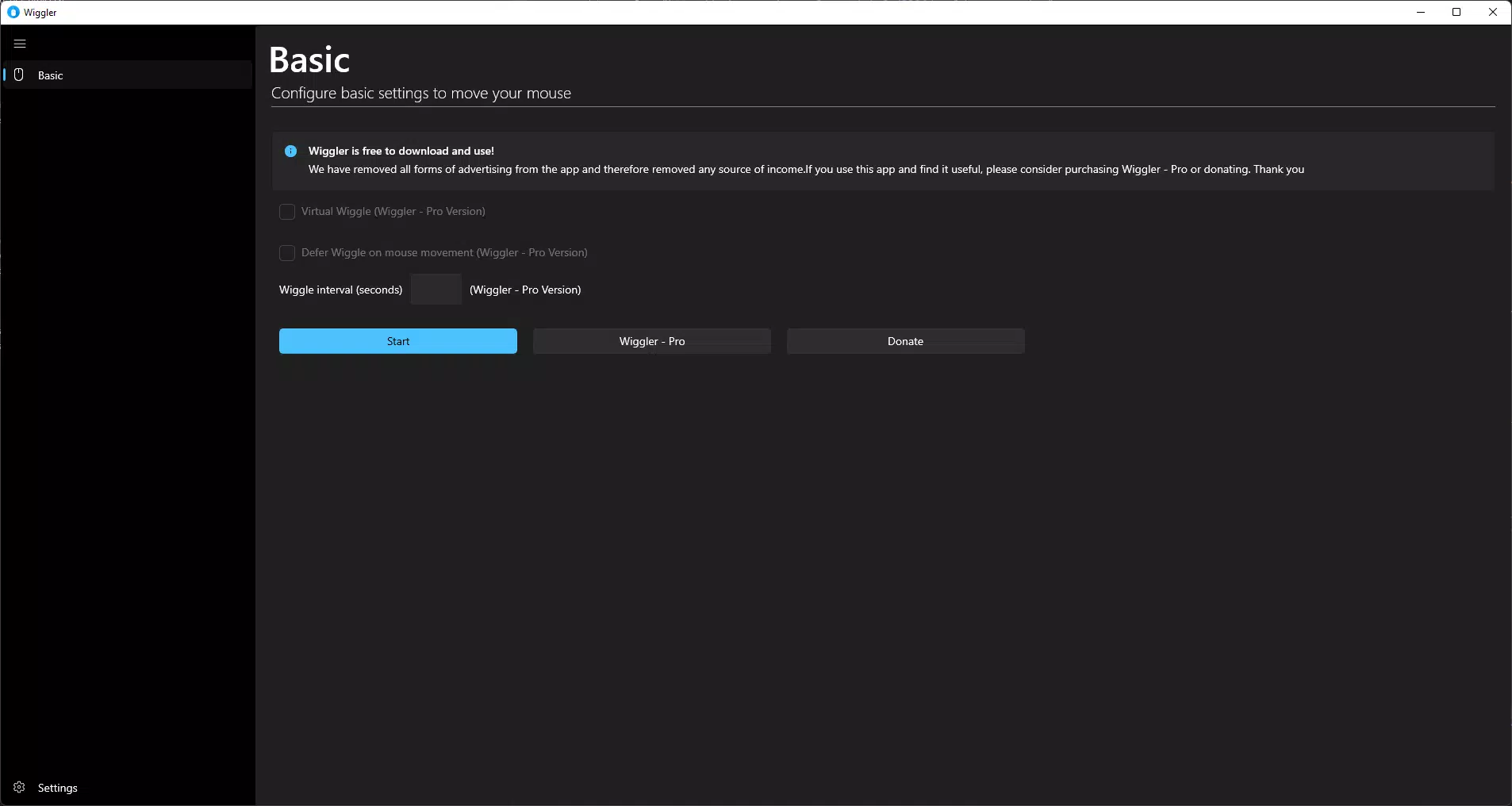
Wiggler presents a straightforward interface focused on simplicity and functionality. The layout is minimal, with essential controls clearly labeled, allowing users to initiate and stop mouse simulation with ease. Navigation is intuitive, requiring only a single tap to start the process. There are no complex menus or settings, reducing the learning curve for new users.
Although the developer did not list formal performance metrics, the app’s low file size and background operation suggest optimized performance. It runs smoothly across various device categories, including smartphones and tablets, without causing lag or crashes. Responsiveness is maintained during extended use, and the app remains stable even when left running for hours.
Users can expect consistent behavior across different Android devices, though specific compatibility details were not disclosed. The app’s lightweight nature ensures it does not interfere with other running applications, making it ideal for multitasking environments. Stability is a notable strength, with no reported issues related to crashes or memory leaks.
Platform Compatibility & Technical Requirements
Wiggler is available exclusively on the Android platform. The app is compatible with Android devices running the specified version, though the exact minimum OS requirement was not listed by the developer. It has a file size of 3.4 MB, indicating a lightweight footprint suitable for devices with limited storage.
Given its release date in 2016, the app may support older Android versions, but compatibility with newer systems was not confirmed. The developer did not specify exact hardware or software prerequisites, so users should ensure their device meets general Android standards for app installation. No additional permissions or system access were mentioned.
Pros and Cons
- Lightweight at only 3.4 MB
- Free to download and use
- Simple, intuitive interface
- Effective at preventing screen lock
- Low memory and CPU usage
- Supports key communication platforms
- Developer did not provide detailed compatibility information
- Platform limited to Android only
- No visible update history or changelog
- Minimal customization options
- No advanced settings or scheduling features
FAQ
Is Wiggler safe to use?
Yes, Wiggler is designed to simulate mouse movements without accessing sensitive data or modifying system settings. It operates as a standard Android app and does not require elevated permissions.
Can I use Wiggler on iOS devices?
Currently, Wiggler is only available for Android. There is no official iOS version, and the developer has not announced plans for cross-platform expansion.
Does Wiggler require internet access?
No, Wiggler operates offline. It does not need an internet connection to simulate mouse movements or maintain screen activity.
How often does Wiggler move the mouse?
The app generates small, regular cursor movements to maintain activity. The exact frequency is not disclosed, but it is designed to be subtle and effective without being disruptive.
Can I stop Wiggler at any time?
Yes, users can stop the simulation at any time through the app’s interface. The app includes a simple toggle to pause or resume mouse movement instantly.
Final Thoughts
Wiggler delivers a focused, reliable solution for users who need to keep their screen active during long tasks. Its minimal design, low resource usage, and free availability make it a valuable tool for professionals managing software installations, remote work, or virtual meetings. While it lacks advanced features and customization, its core functionality is executed efficiently.
For anyone seeking a secure, lightweight app to prevent screen lock and maintain digital presence, Wiggler stands out as a practical choice. It fills a specific but important gap in the productivity toolkit.
Download Wiggler now


